笔记本电脑驱动损坏无法连接WIFI 电脑配置:intel i5-9300H 2.40GHz 内存16G 1T SSD固态硬盘C D 独显GTX1650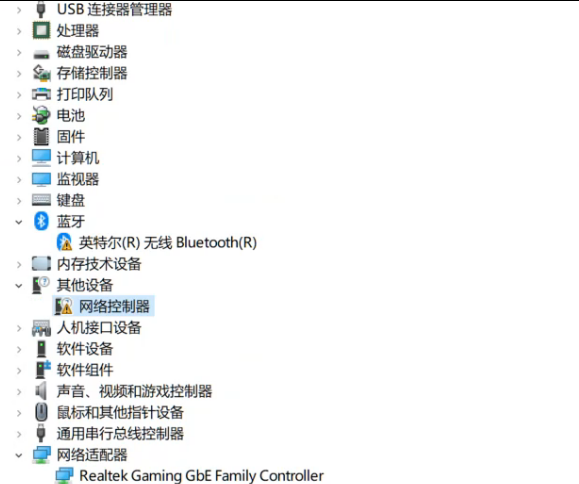
英特尔® 无线 AC 9560 802.11a/b/g/n/ac (2×2) Wi-Fi® 和 Bluetooth® 5 套装(支持千兆文件传输速度) 兼容 Miracast;支持 MU-MIMO
下载 英特尔® PROSet/无线软件 和 Wi-Fi 驱动程序
https://www.intel.cn/content/www/cn/zh/support/articles/000046918/wireless.html
https://www.intel.cn/content/www/cn/zh/download/19351/windows-10-and-windows-11-wi-fi-drivers-for-intel-wireless-adapters.html
https://downloadmirror.intel.com/915842/WiFi-24.30.1-Driver64-Win10-Win11.exe
下载后安装上驱动。仍然驱动不了。有可能是WIFI模块接触不良。
关机。断电。去手上静电。断开笔记本内置电池对主板的供电,重新插一下笔记本的WIFI模块。
重启电脑后,WIFI功能恢复正常,蓝牙功能恢复正常。